Left Ledger Software
 Left Ledger
NetSuite CRM.
On your iPhone.
Your NetSuite Opportunities, Events, and Contacts in a focused iPhone workspace. Connect directly to your existing account and work with the records available to your assigned NetSuite role.
Requires an authorized NetSuite account, a compatible iPhone, internet access, and a valid application subscription entitlement for CRM features.
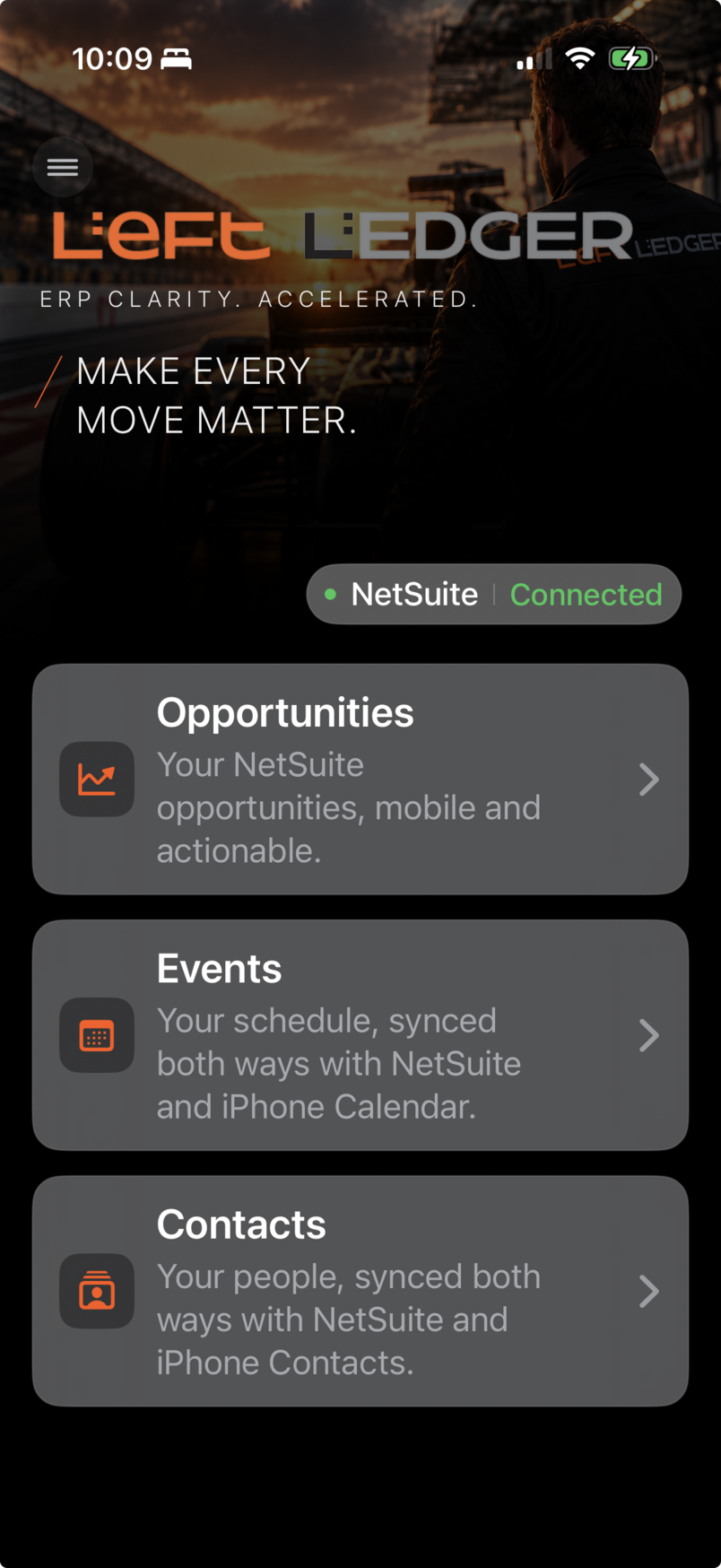
A focused CRM workspace
Your pipeline. Your schedule.
Your business contacts.
Version 1.0 concentrates on three native NetSuite CRM areas. Available records and actions remain controlled by your NetSuite role, permissions, and account configuration.
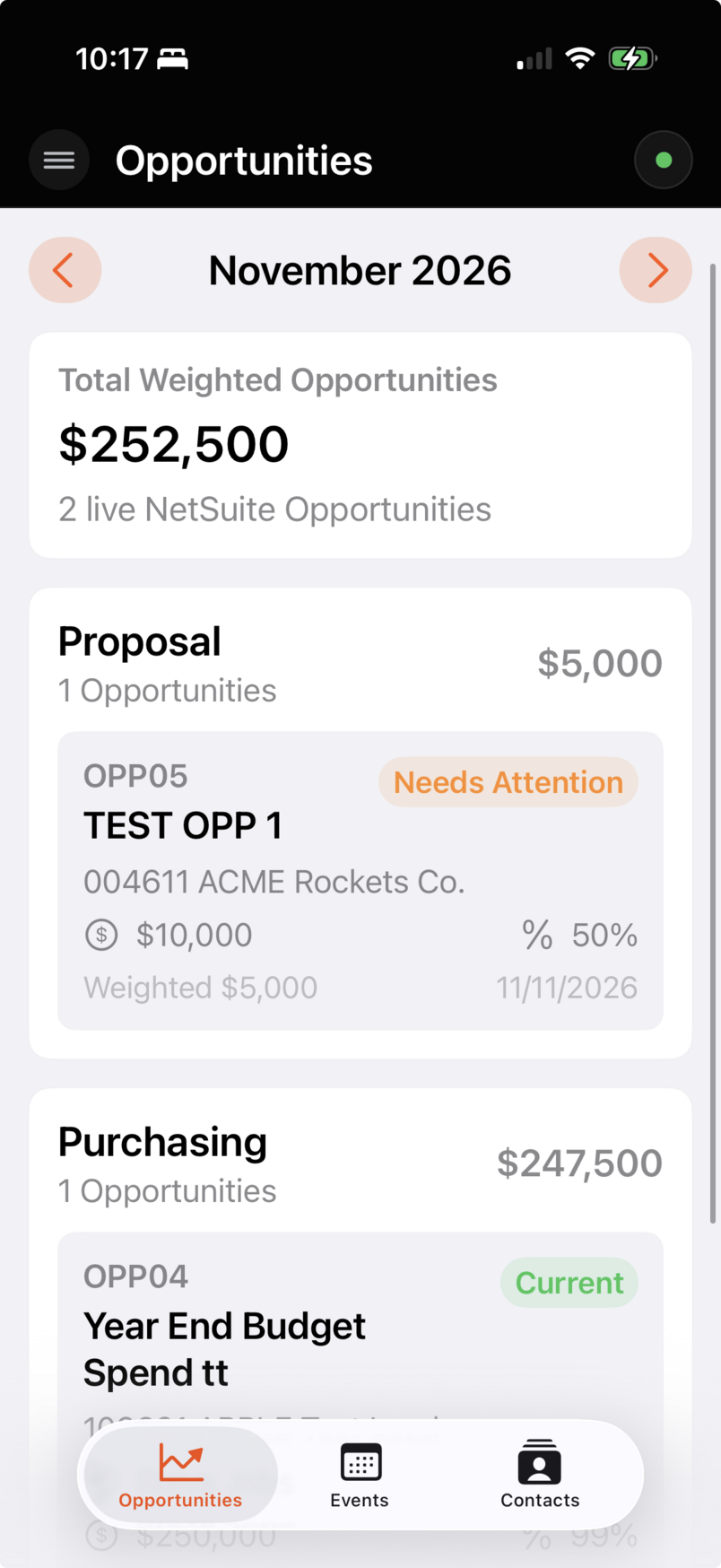
Keep your pipeline within reach.
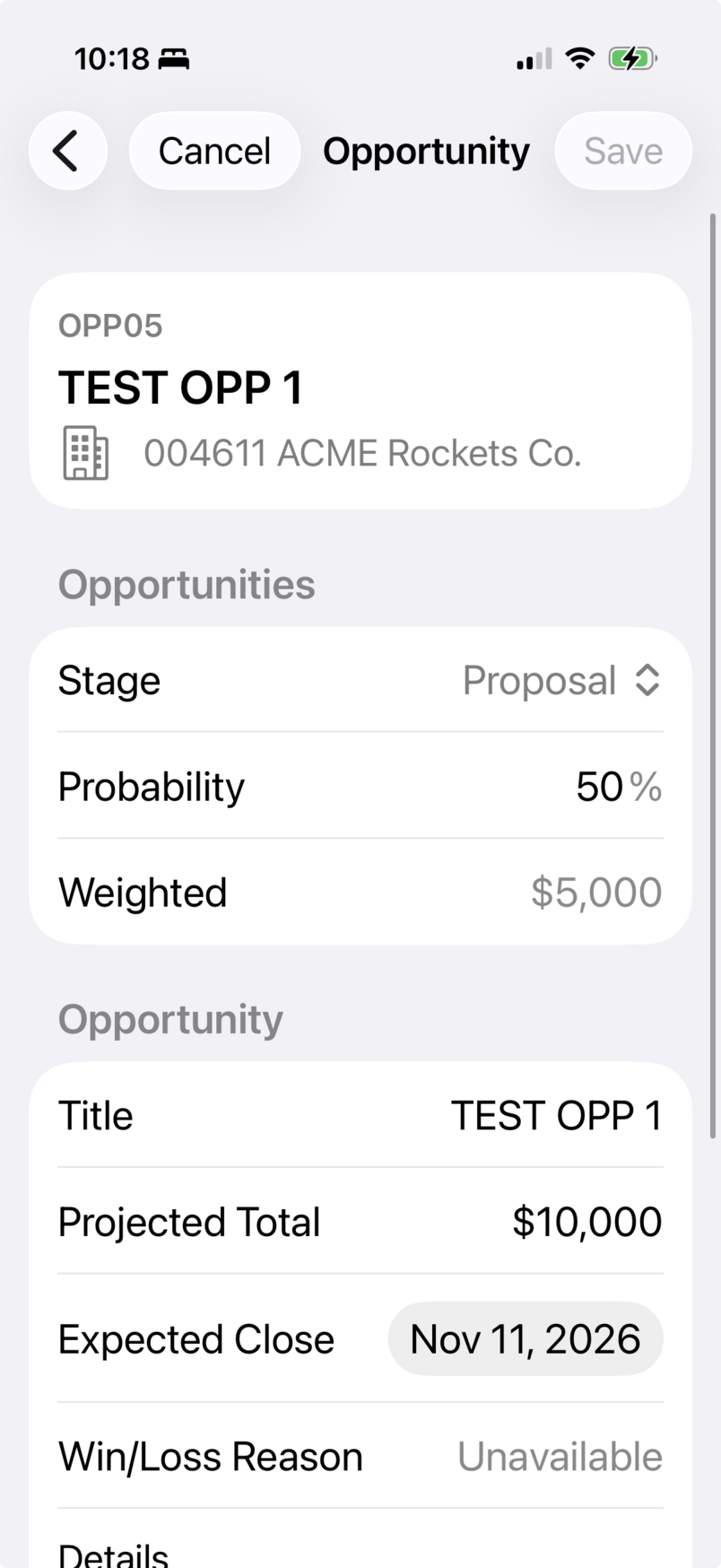
Review your NetSuite opportunity pipeline, move between pipeline months, and open supported Opportunity details from your iPhone.
Make supported updates within the permissions of your NetSuite role. Review the details and related CRM information without leaving your mobile workspace.
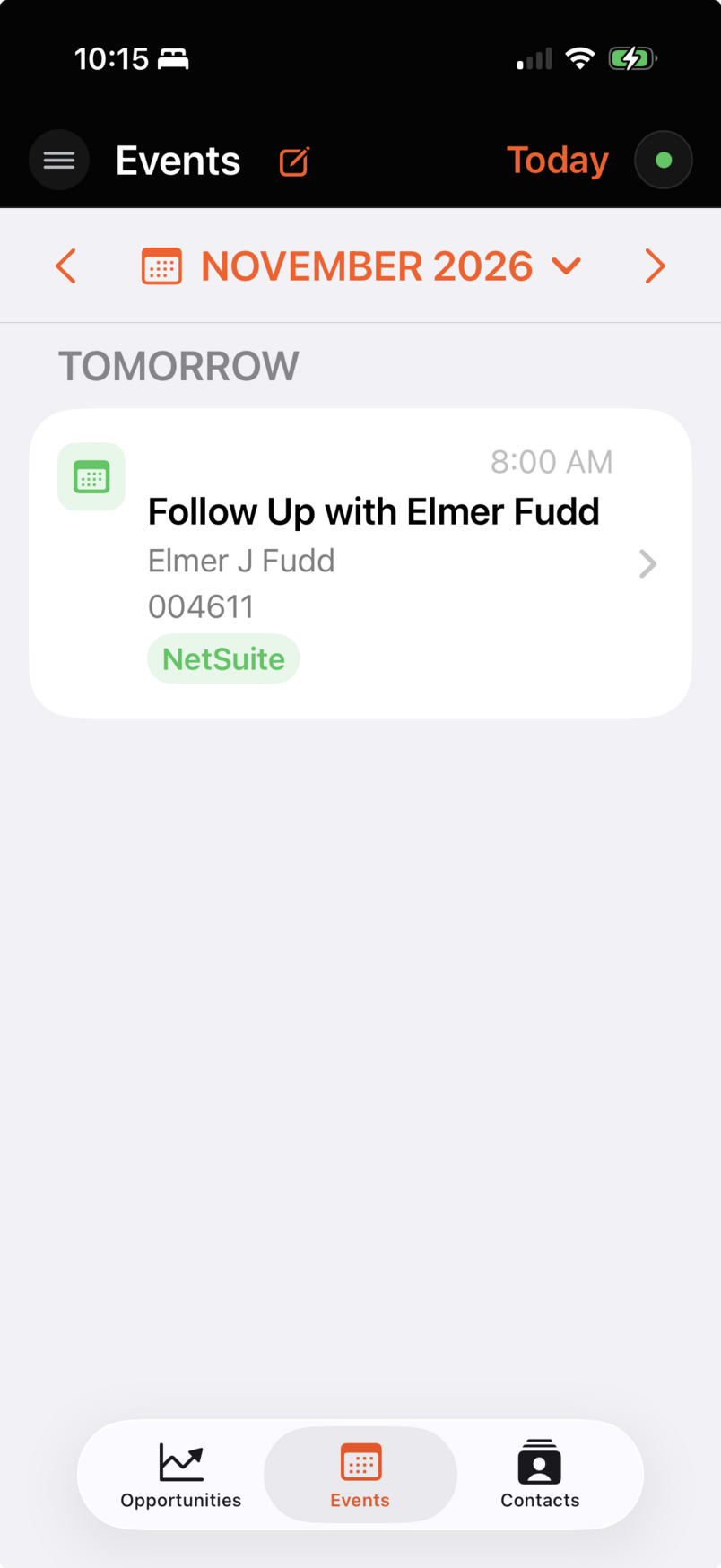
Keep your NetSuite schedule close.
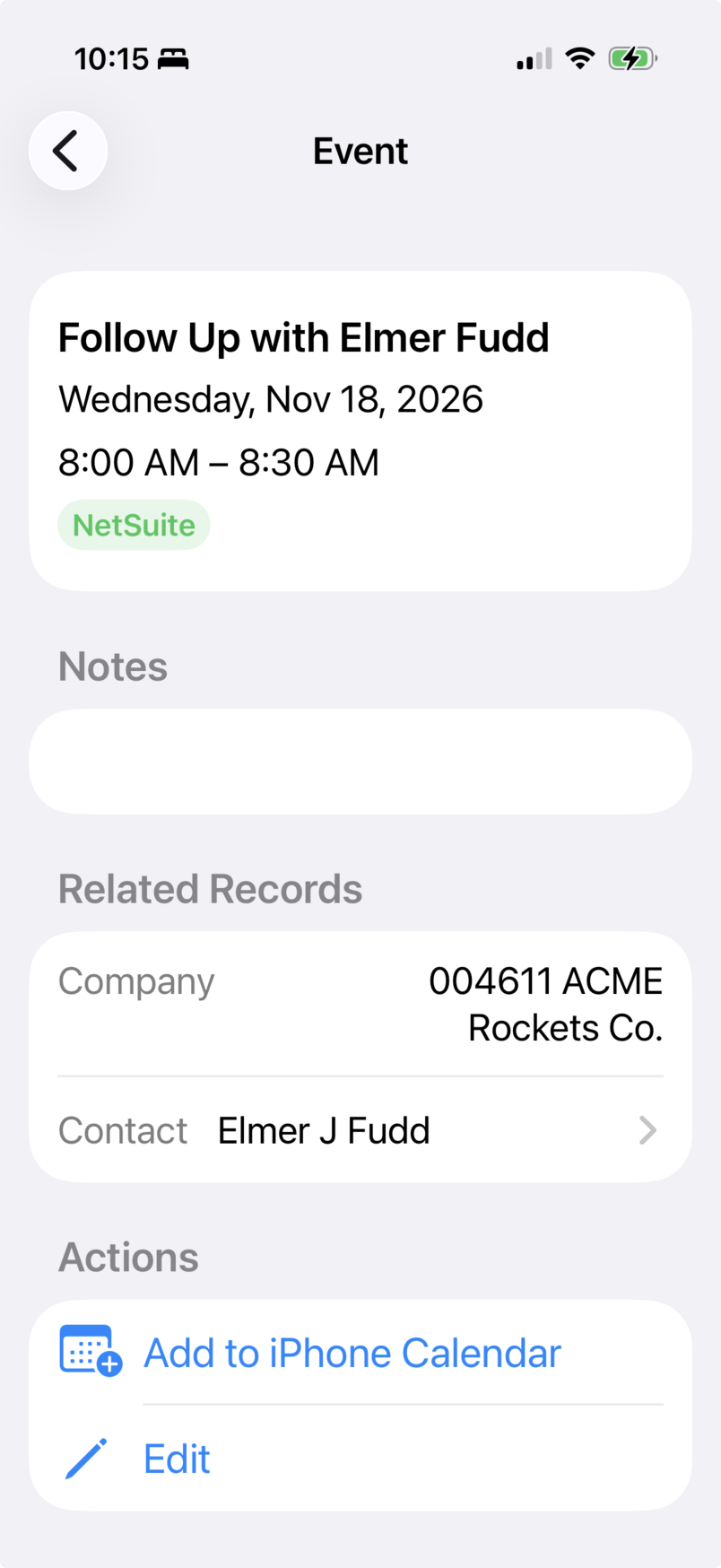
View, create, and edit supported NetSuite Events. Work with schedule details, related CRM information, location, notes, and supported reminder information.
Choose whether to connect selected Events with Apple Calendar. Your NetSuite Event features remain available without granting Calendar permission.
Work with the people behind the records.
Search, create, and edit NetSuite Contacts. Open a Contact to review supported details and related CRM information available to your role.
With Contacts permission, creating a Contact in Left Ledger can also create and map a corresponding Apple Contact. Optional synchronization supports eligible Work contact information.
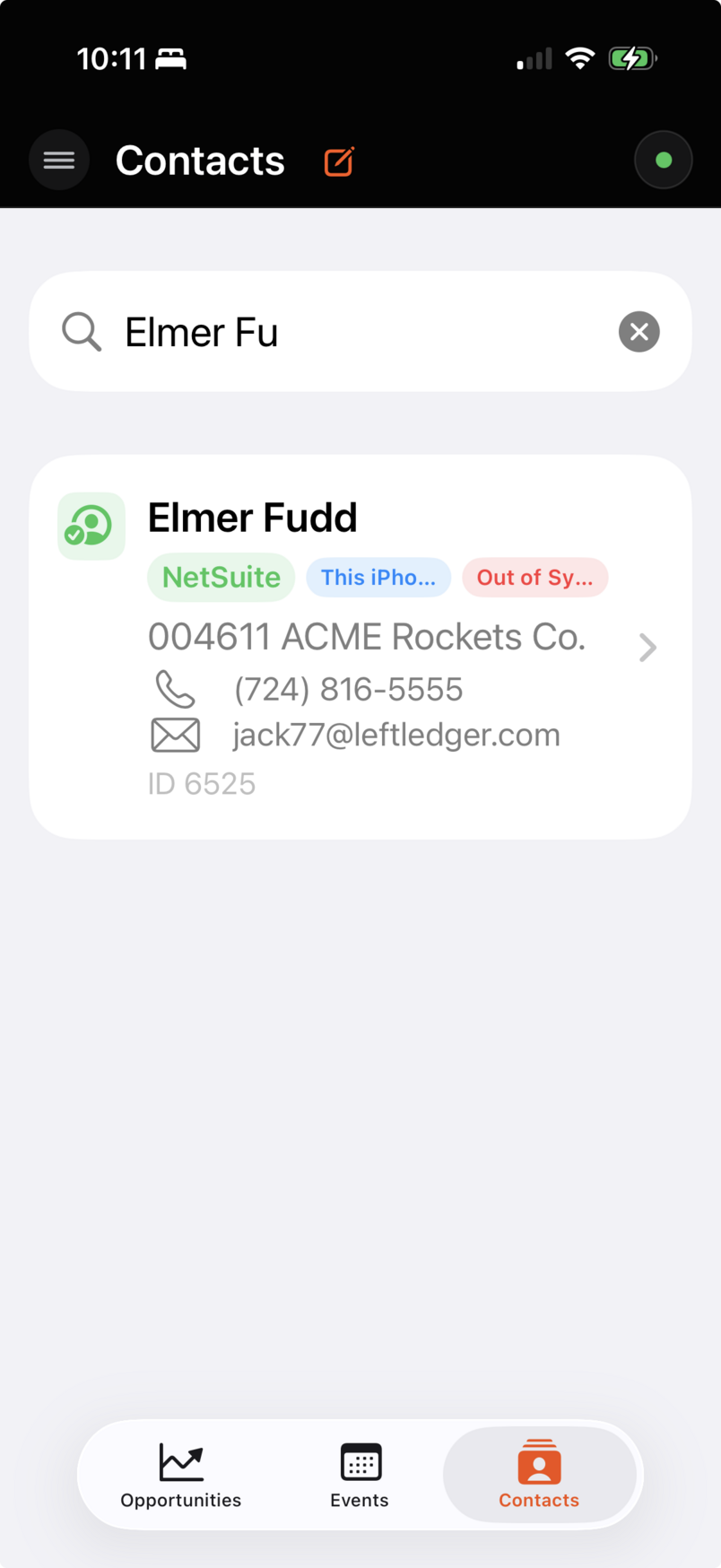
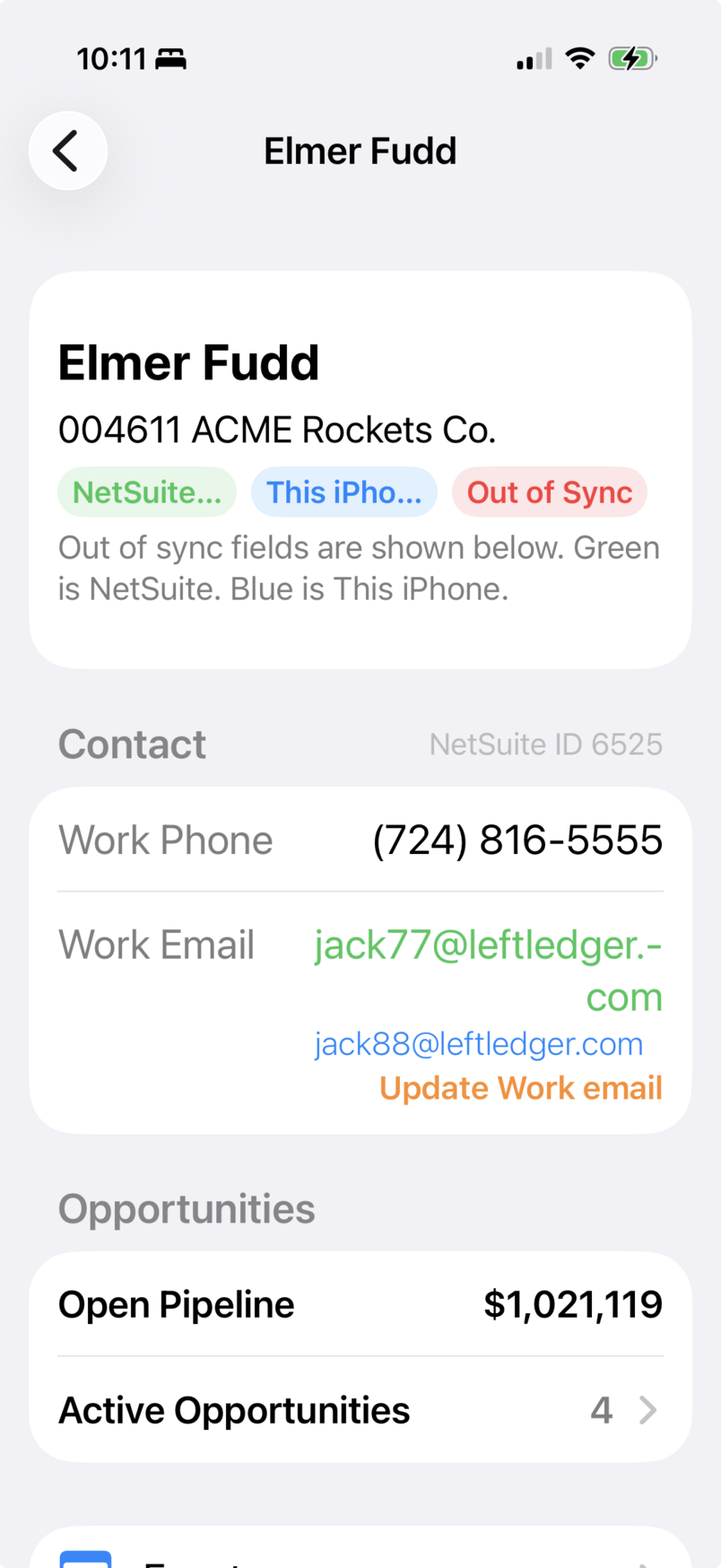
Screens captured from the application using approved test data. Screen availability and actions depend on your connected NetSuite role and iPhone permissions.
Optional Apple integration
Connect the records you choose.
Apple Contacts and Apple Calendar integration are optional. You control access through iOS permissions and can continue using the NetSuite CRM features without granting that access.
Apple Contacts
Map supported Contacts, compare information, and synchronize eligible Work phone and Work email values. The NetSuite-to-Apple Work-field update path preserves unrelated personal phone and email information.
Blank NetSuite Work values do not automatically erase Apple values. Multiple Apple values labeled Work are not arbitrarily selected for an update.
Apple Calendar
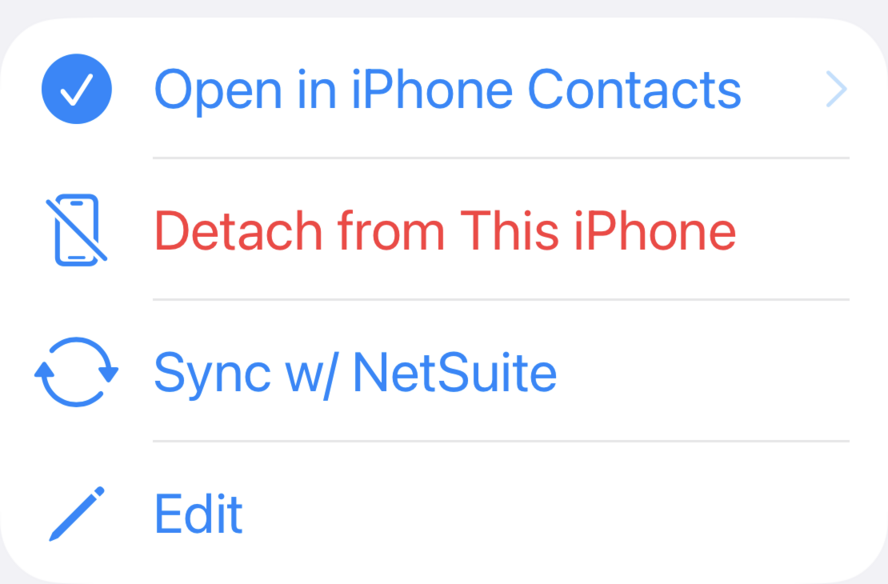
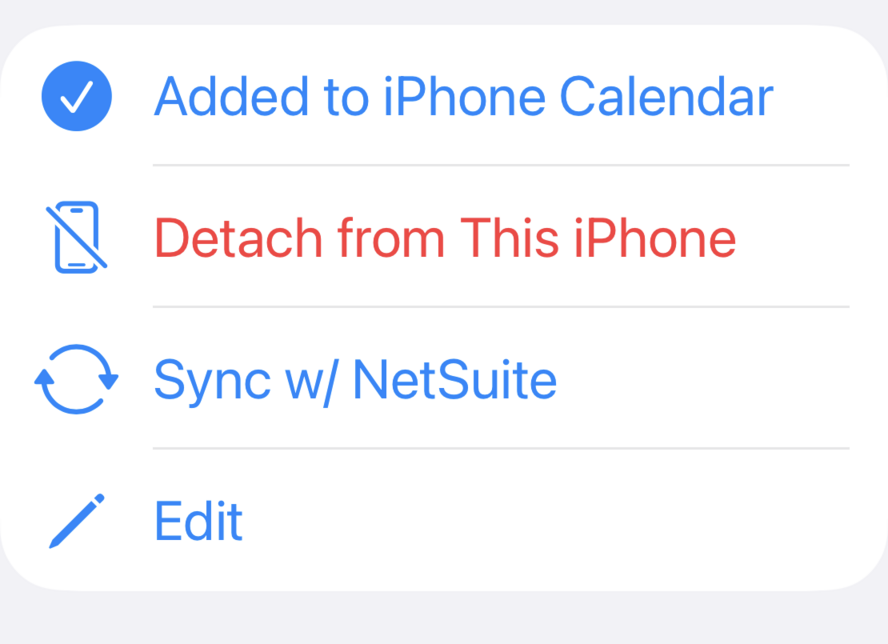
With full Calendar Event permission, map a selected NetSuite Event to an Apple Calendar event. Compare and synchronize supported information, open the mapped event, or detach its local mapping.
Detaching a mapping does not delete either underlying event. NetSuite reminders and Apple alarms may differ; exact equivalence is not promised for every reminder value.
Connection & compatibility
Your NetSuite account.
Your existing permissions.
Left Ledger connects directly from iPhone to account-specific NetSuite services. Sign in through NetSuite using your existing credentials and select an authorized role. The app cannot bypass or elevate that role’s permissions.
Authentication uses OAuth 2.0 with PKCE. OAuth token information is stored using the iOS Keychain. There is no separate Left Ledger user account to create.
NetSuite administrator setup checklist
- Customer Relationship Management and Opportunities enabled.
- REST Web Services, OAuth 2.0, and SuiteAnalytics Workbook enabled.
- Dynamic Client Registration enabled for the Left Ledger public client.
- Log in Using OAuth 2.0 Access Tokens: Full.
- SuiteAnalytics Workbook: View.
- Sufficient role access for the Contact, Event, and Opportunity actions the user will perform.
Use the current in-app NetSuite Setup & Security guidance for configuration. The employee does not need Administrator access solely to use Left Ledger.
Planned US pricing
One workspace. Two plan options.
Both plans provide the same access to Opportunities, Events, and Contacts while Apple reports a valid subscription entitlement. Final App Store configuration remains subject to verification.
Monthly
$24.99 USD / month
Monthly access to the supported CRM features.
Planned one-month introductory trial for eligible subscribers. After an eligible trial, the subscription automatically renews monthly at the price shown by Apple unless canceled.
Annual
$239.99 USD / year
Annual access to the same supported CRM features.
Planned one-month introductory trial for eligible subscribers. After an eligible trial, the subscription automatically renews annually at the price shown by Apple unless canceled.
Apple determines introductory-offer eligibility for the shared subscription group. A trial on one plan does not guarantee another trial on the other plan. Localized pricing shown by Apple at purchase is authoritative for your storefront.
Apple manages purchases, billing, renewal, cancellation, and plan changes. Turning off renewal does not immediately end access while Apple still reports an active entitlement. Restore Purchases asks Apple to synchronize App Store transactions.
A few practical questions
Before you connect.
Does Left Ledger replace NetSuite?
No. Left Ledger is an iPhone interface for supported CRM records in your authorized NetSuite account. NetSuite remains the system of record, and its role permissions remain authoritative.
Do I need Administrator access?
No. You need an appropriately configured NetSuite role with the required OAuth, analytics, and record permissions. A NetSuite administrator or technical lead may need to complete the initial setup.
Are Apple Contacts and Calendar required?
No. Both integrations are optional and controlled by iOS permissions. You can use the NetSuite CRM features without granting those permissions.
Will synchronization overwrite my personal contact details?
The mapped NetSuite-to-Apple Work-field path preserves unrelated Home, Mobile, custom-labeled, unlabeled, and additional values. Blank NetSuite Work values do not automatically delete Apple values. If multiple Work values make a field ambiguous, Left Ledger does not arbitrarily choose one to overwrite. Applying supported Apple Contact information to NetSuite is a separate, explicit action.
Is the introductory trial guaranteed?
No. The planned one-month introductory offer is available only when Apple reports your Apple Account as eligible for the shared subscription group. Left Ledger cannot override Apple’s eligibility determination.
What happens if I cancel?
Apple manages cancellation. Turning off renewal does not immediately remove access while the current entitlement remains active. Access ends when Apple reports that the entitlement has expired or is otherwise no longer valid.
Can I use the app on iPad or Mac?
Version 1.0 is designed for iPhone only. It does not support native iPad, Mac, or Apple Vision Pro distribution. Future platform support is not promised.
Where will setup help and product policies be available?
Product support and policy pages are being prepared. They will be linked here after the support channel and final policies are approved. No app download is available from this page yet.
Left Ledger for iPhone
Coming Soon for iPhone.
Left Ledger 1.0 is being prepared for App Store release. A verified download link will be added here when it is available.
No release date has been announced.
From Left Ledger Inc.
Left Ledger Software is a secondary offering of Left Ledger Inc., an established independent NetSuite consulting business. Our consulting services remain at the center of what we do.
About Left Ledger Inc.Left Ledger Inc. is independent from Oracle and Apple and is not affiliated with, endorsed by, or sponsored by them. Applicable names and trademarks belong to their respective owners.