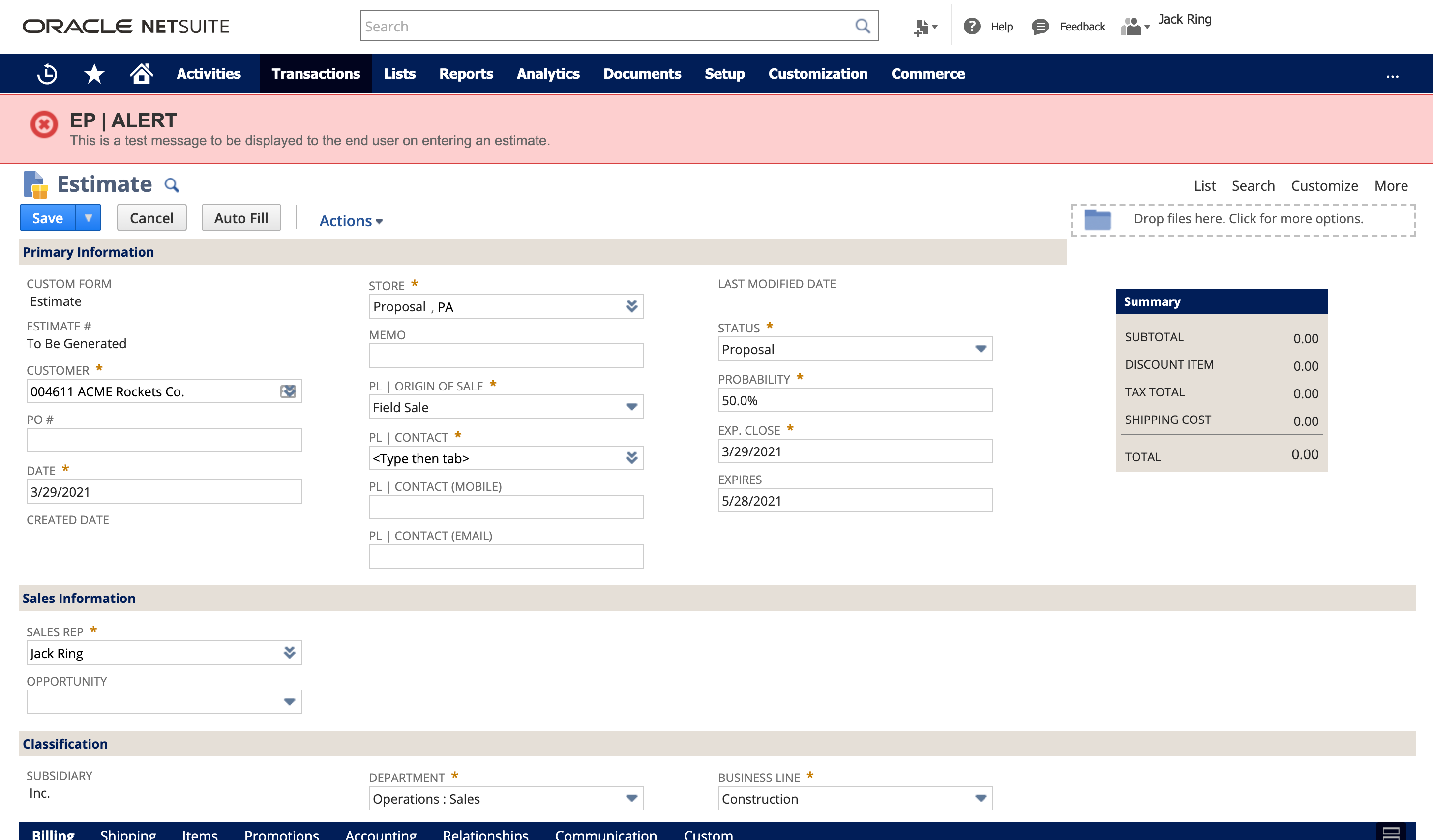
This article demonstrates how to create an elegant message banner across the top of the estimate form. This will display when there is an informative note about a customer. Another application may be used to trigger a banner to show when there is a past due amount.
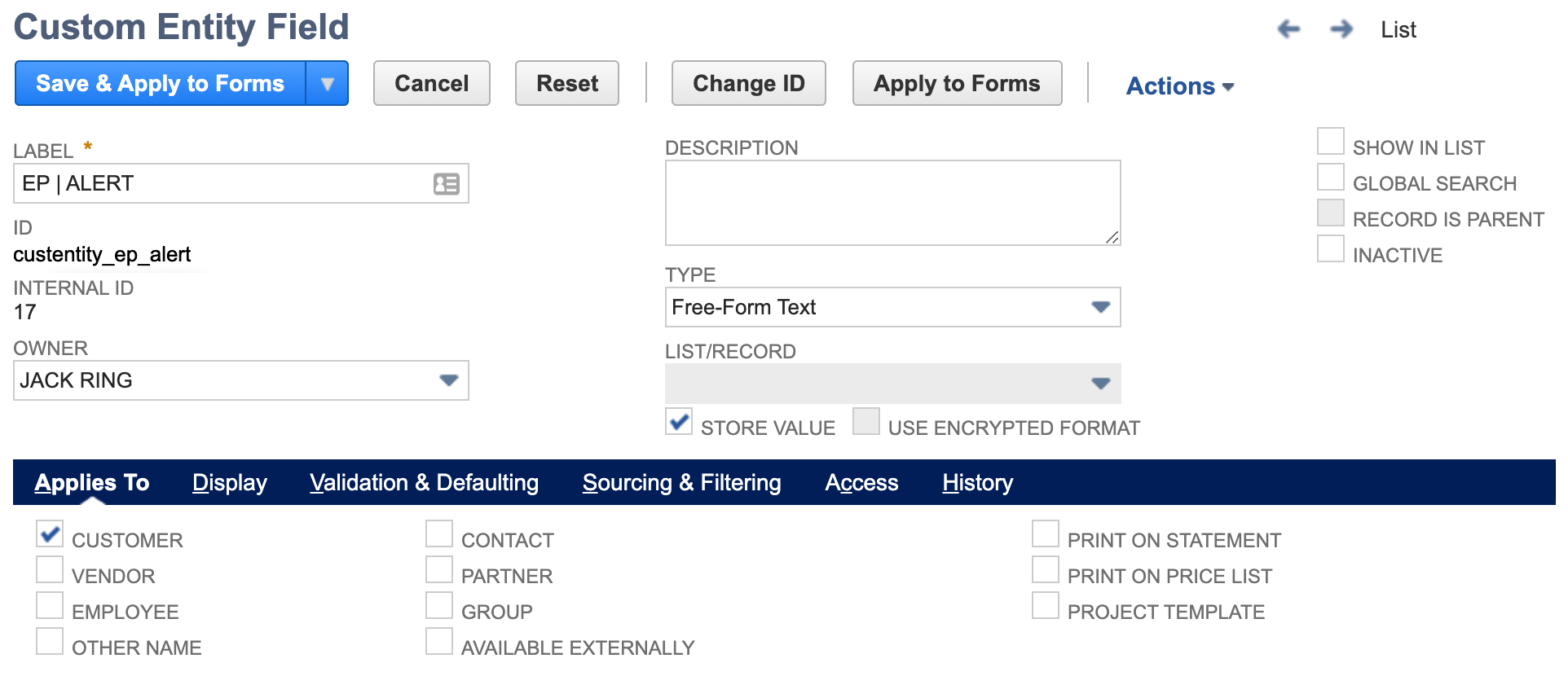
This design pattern utilizes a client script, the SuiteScript message module and a custom body field on the customer record.

Our Client wanted to display notable information about a customer to the employee on transaction creation or edit. Any given customer may or may not have a custom alert note.
The following is not intended to say that this is the only way to accomplish this outcome nor is it intended to be a lesson in suitescript theory or otherwise. It is meant to serve as a general outline.
We take great care to be good stewards in a NetSuite environment. Note the internal id naming convention. We follow a strict structure where in the above screenshot << _ep_ >> is a two character abbreviation representing the company. This indicator allows a client to readily identify things that they have customized as opposed to what was created by a third-party bundle.
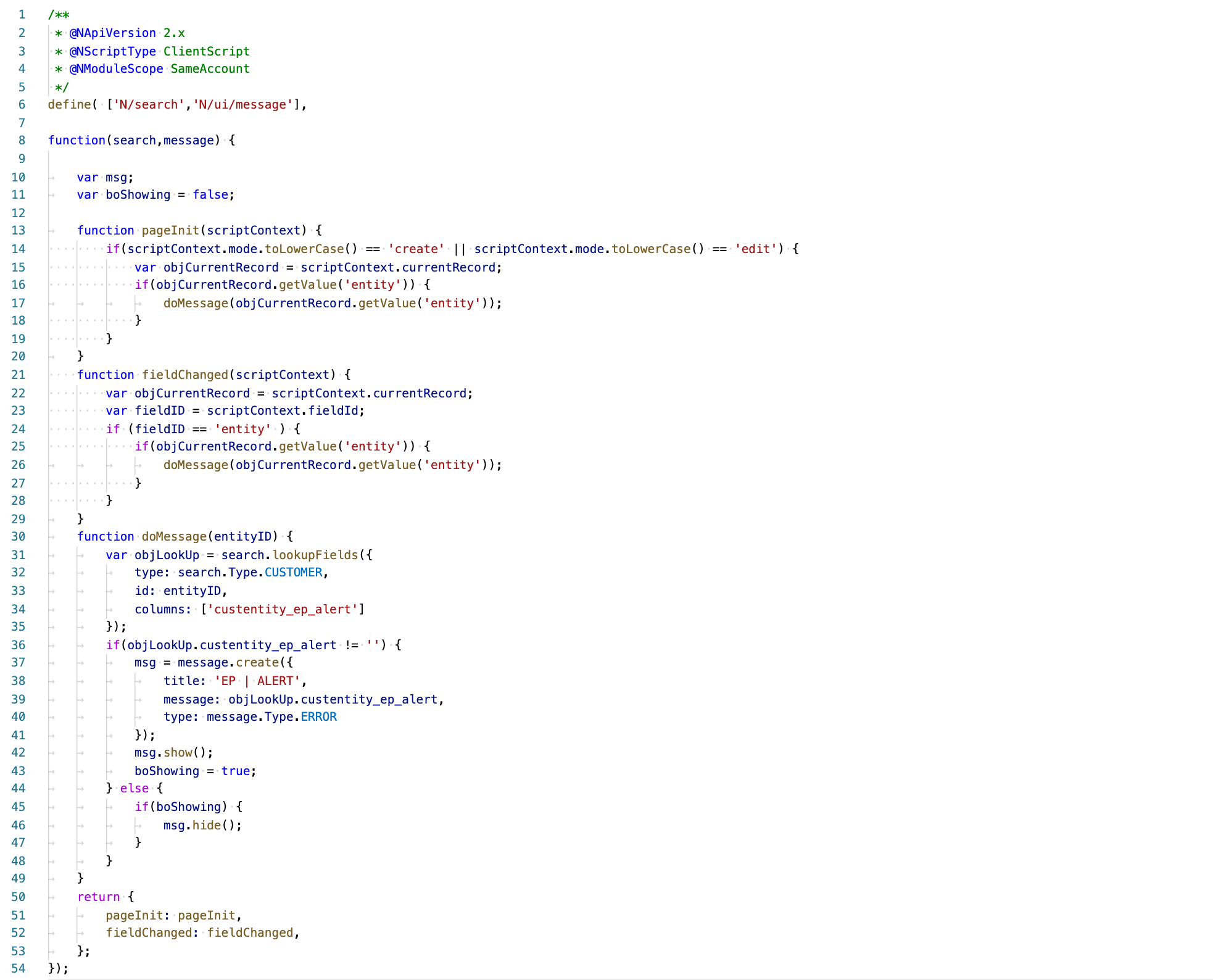
Line 13: pageInit() is used to trigger evaluation if the transaction was spawned from the add new button on the customer record or was previously created and is simply being edited.
Line 21: fieldChanged() is used to trigger evaluation if the transaction was spawned (customer independent) from the add new button located above the NetSuite center tab on any page.
Line 31: lookupFields function is used in the search SuiteScript module to get our custom entity field value from the customer.
Line 46: hide the banner if the employee has switched the customer and the new customer has no custom alert.
If you need help doing more with your NetSuite instance, give us a call. We're here to be your NetSuite system experts. This way you can remain focused on the needs of your customers and growing your business.
...
Most companies believe their ERP is under control because they can close the books and produce financials. That is a low bar. The real test is whether the system reflects reality without explanation, adjustment, or second guessing.
Control does not break all at once. It starts in small places, usually in purchasing, where commitments, receipts, and billing begin to drift out of sync. The Purchase Order History Report exposes that drift immediately, and it does it without interpretation.
NetSuite CRM is one of the most overlooked and underutilized components of most accounts. If your organization pays for NetSuite but still relies on external CRM systems, there's a strong chance you're spending more time, money, and energy than you need to while your teams operate in silos.
And why most teams don’t see it coming. Go-live is not the finish line. It is the moment NetSuite is finally exposed to real behavior. This is where the system either proves itself or quietly begins to break. Not because NetSuite is flawed, but because the guardrails were never fully set.
If you are a CFO, Controller, or finance leader running on Oracle NetSuite, this conversation is worth your attention.
Reimplementation is not about dissatisfaction with the platform. It is about alignment. Over time, licensing structures expand, add-ons accumulate, transaction tiers shift, and renewal cycles become routine rather than strategic. What once made sense at go-live may no longer reflect how your business operates today.
Handled correctly, renewal can become an opportunity to reset cost trajectory, restore leverage, and reestablish long-term predictability in total cost of ownership.
Most teams eventually look at Unit of Measure in NetSuite and think they are missing something. The system supports it, it looks more structured, and it feels like the "right" way to do it.
In practice, expanding Unit of Measure often shifts complexity into every transaction instead of removing it. What looks like precision at the system level can quietly introduce friction across order entry, warehouse execution, and financial reporting.